Having some trouble? You've come to the right place!

Signing up
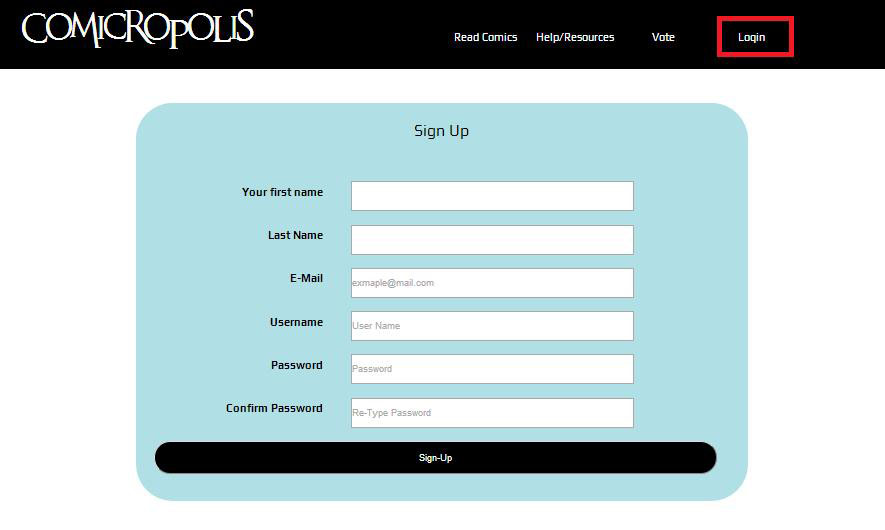
First, you must go to the login page(indicated in the top right box) and click sign up below the login button. Once you are to the Sign up page, it will look like the picture to the right. Fill out the sign up form, and hit sign up.
Go ahead and proceed to login in at this point and we will get started uploading your comic!
Uploading your new comic
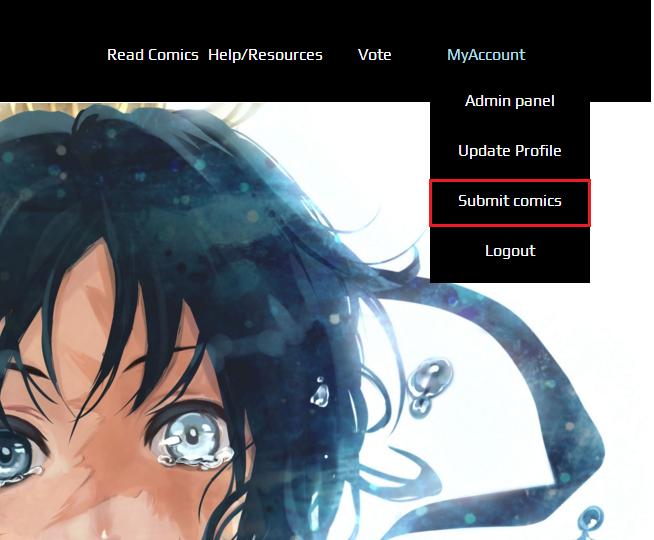
Once you are logged in, go up to the "My Account" tab and hover. You should see a drop down menu, and under it you should see an option that says "Submit Comic".
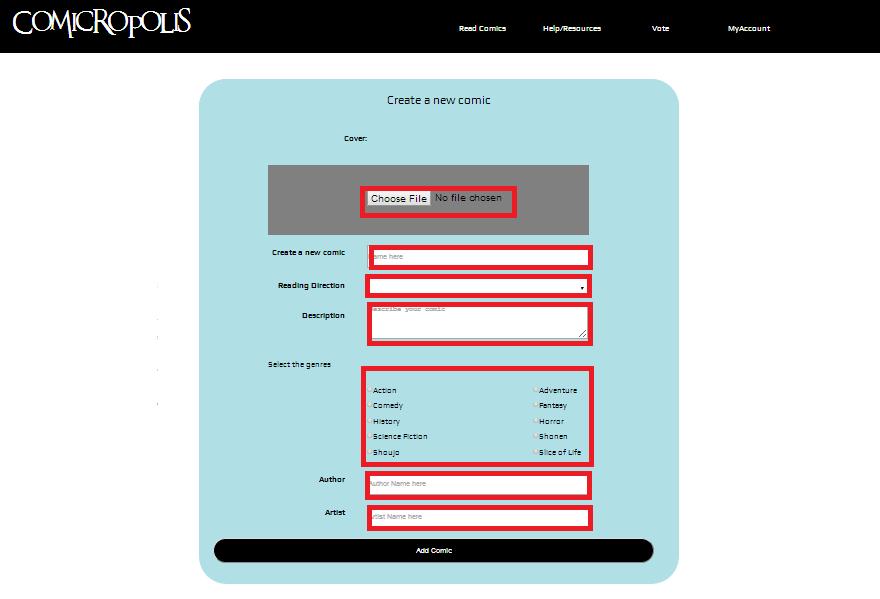
Once on the submit comic page, you will see several fields to fill out. Let's walk through these.
Cover
Your new comic needs a cover! This will be the cover that your comic will be known for, and what will be displayed next to it's name.
Name
Every comic needs a catchy name. Don't make it boring! Or if you already did, well sorry man. Tough luck. Enter it and hope for the best
Reading Direction
How are your fans supposed to read your comic? Don't let them read it backwards! Tell us which way your comic is meant to be read - from left to right or right to left.
Description
What is it that your imagination has entailed to give us on this fine day? Give us a brief description of your creation, your masterpiece that you are gifting upon us. Draw us in!
Genre(s)
Is your story romantic? Does it follow the journey of characters in a fantasy land? Is it all about the action? Maybe a little bit of everything??!! Check off those boxes and tell us!
Artist/Author
Are you the artist/ author? Are you both, because you're just that good? Put in the name of the creators of your work, and don't lie! If you steal work, you are a thief! And we hang theifs in the gallows of this city!
Adding Chapters to Your Comics
Now that you've successfully created and upload the bare bones of your comic, it's time to start laying out the chapters.
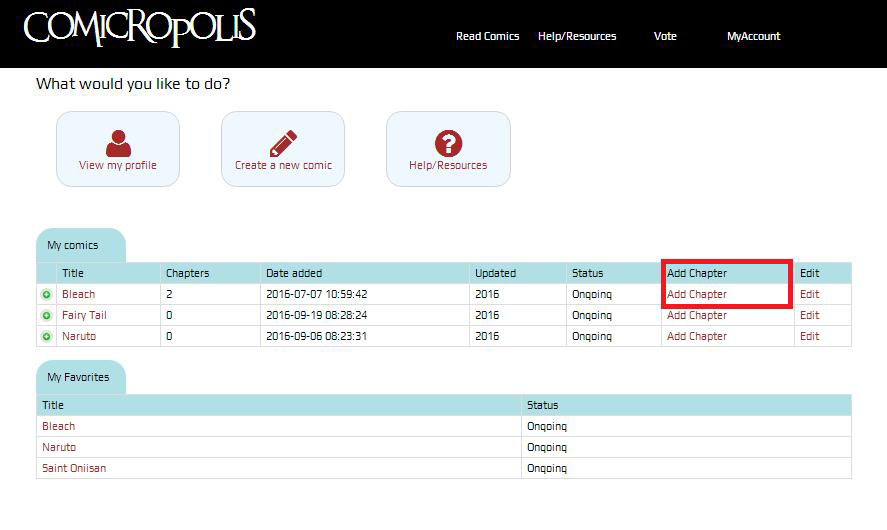
We begin by going to you administration panel, indicated in the upper right. Click on the 'Add Chapter' in the row of the comic you would like to begin uploading.
We have only 2 fields of the 3 required for this step. You must enter a chapter name (Yes, even if it's only Chapter #) and then the number of the chapter (please enter in numerical form). The description in this step is optional. Feel free to rant about your day or write your grocery list down for your amusement.
Adding pages
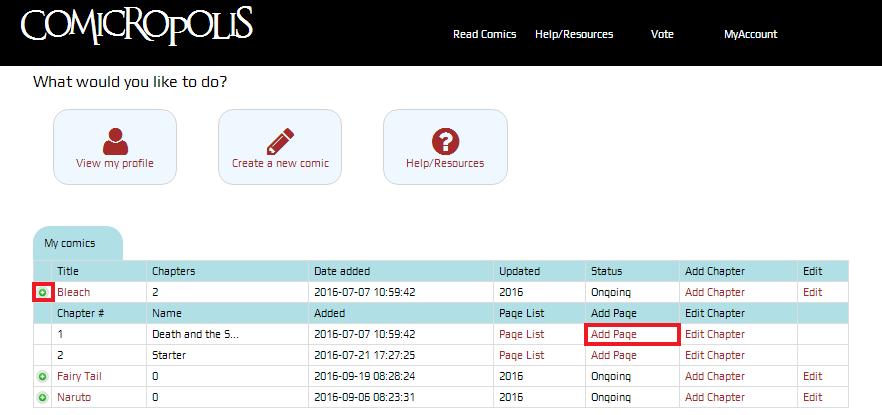
Now in the admin panel you see that little green button. Did you click it before and some random blue bar popped out that you didn't understand? Well now there is something underneath of that it you added a chapter. It is the new chapter, and with it, the ability to add actual pages! Woohoo!
By click on the add page, you see 2 fields. One is for the page (that is the grey box with the 'Choose file' button) and another field for a numerical page number. Don't worry, you screw up the page number, there is an edit section for that. Adding pages to your hearts desire! There is no limit.